exponenta event banner

Блоки Simulink в панели инструментов системы DSP, поддерживающей генерацию кода C

При наличии лицензии Simulink ® Coder™ можно генерировать код C и C++ из определенных блоков Simulink в DSP System Toolbox™. Пример см. в разделе Создание кода C из модели Simulink.

В документации можно просмотреть блоки, поддерживаемые для генерации кода C/C + +, путем фильтрации списка ссылок на блоки. Щелкните Блоки прямо под синей полосой в верхней части окна справки, затем установите флажок C/C + + Code Generation в нижней части левого столбца в разделе Extended Capability. Блоки перечислены в соответствующих категориях. Для перемещения между категориями можно использовать оглавление в левом столбце. Сведения об использовании и ограничениях см. в разделе Расширенные возможности > Создание кода C/C + + на каждой странице блока.

Чтобы получить этот отфильтрованный список для панели инструментов системы DSP, щелкните Блоки, поддерживающие генерацию кода C/C + +.
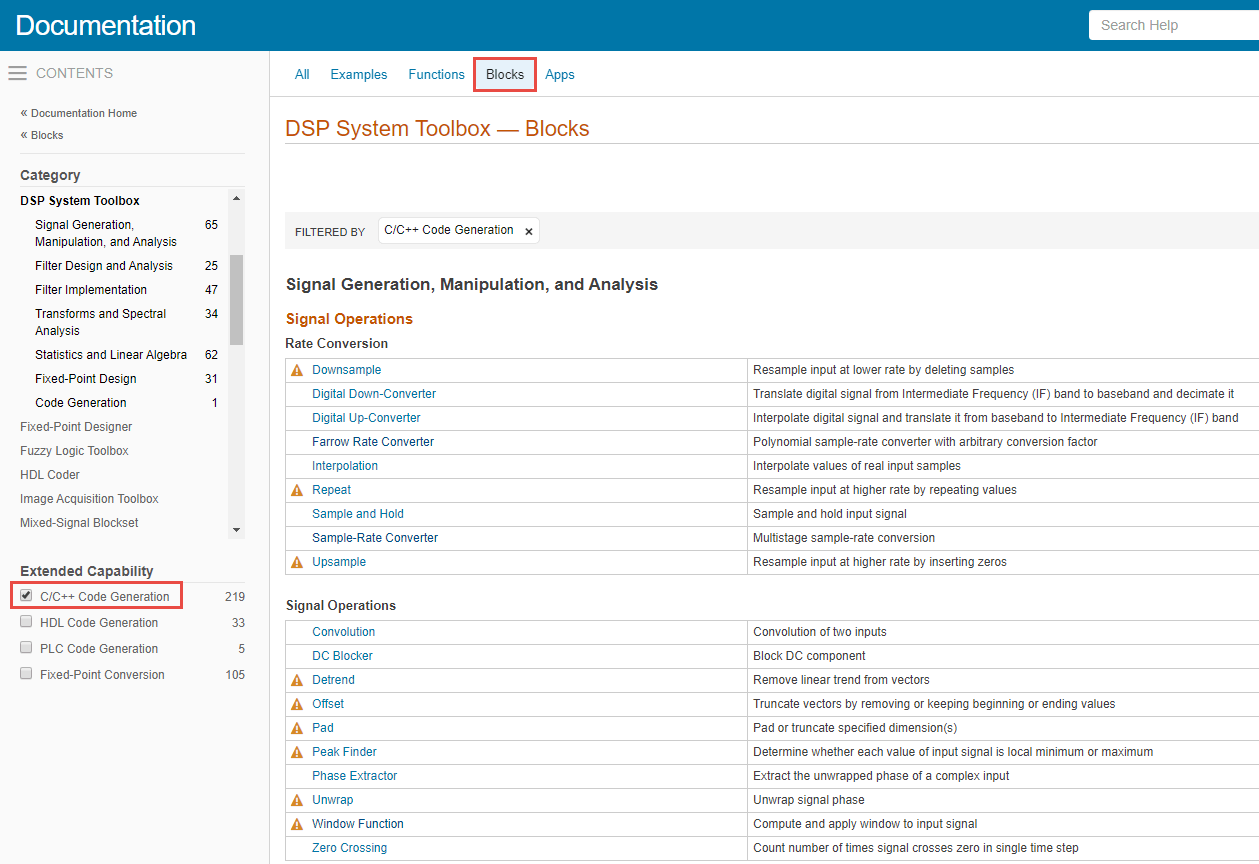

In the image below, there is a blue bar at the top written 'Documentation'. Right below that, on left, there is a contents pane. In the middle of the page, right under the blue bar, there are options that are clickable: 'All', 'Examples', 'Functions', 'Blocks', 'Apps'. In the contents pane, there are products listed. You can choose any product. However, the first product DSP System Toolbox is selected and you can see its categories listed. Below these products, there is list of extended capabilities available. The first capability is C/C++ Code Generation with a check box infront of it. Select this check box. In the clickable options at the top, select 'Blocks'. A list of blocks appears which supports C/C++ code generation. You can see a small triangle next to a block name if there are any C/C++ code generation notes and limitations listed in the respective reference page under Extended Capabilities > C/C++ Code Generation section.

Связанные темы